 sign up
Add Property
Customise your property setup with detailed room pricing, security deposits, bill splits, amenities, rules and payment settings before publishing with Setli.

Add Property Details
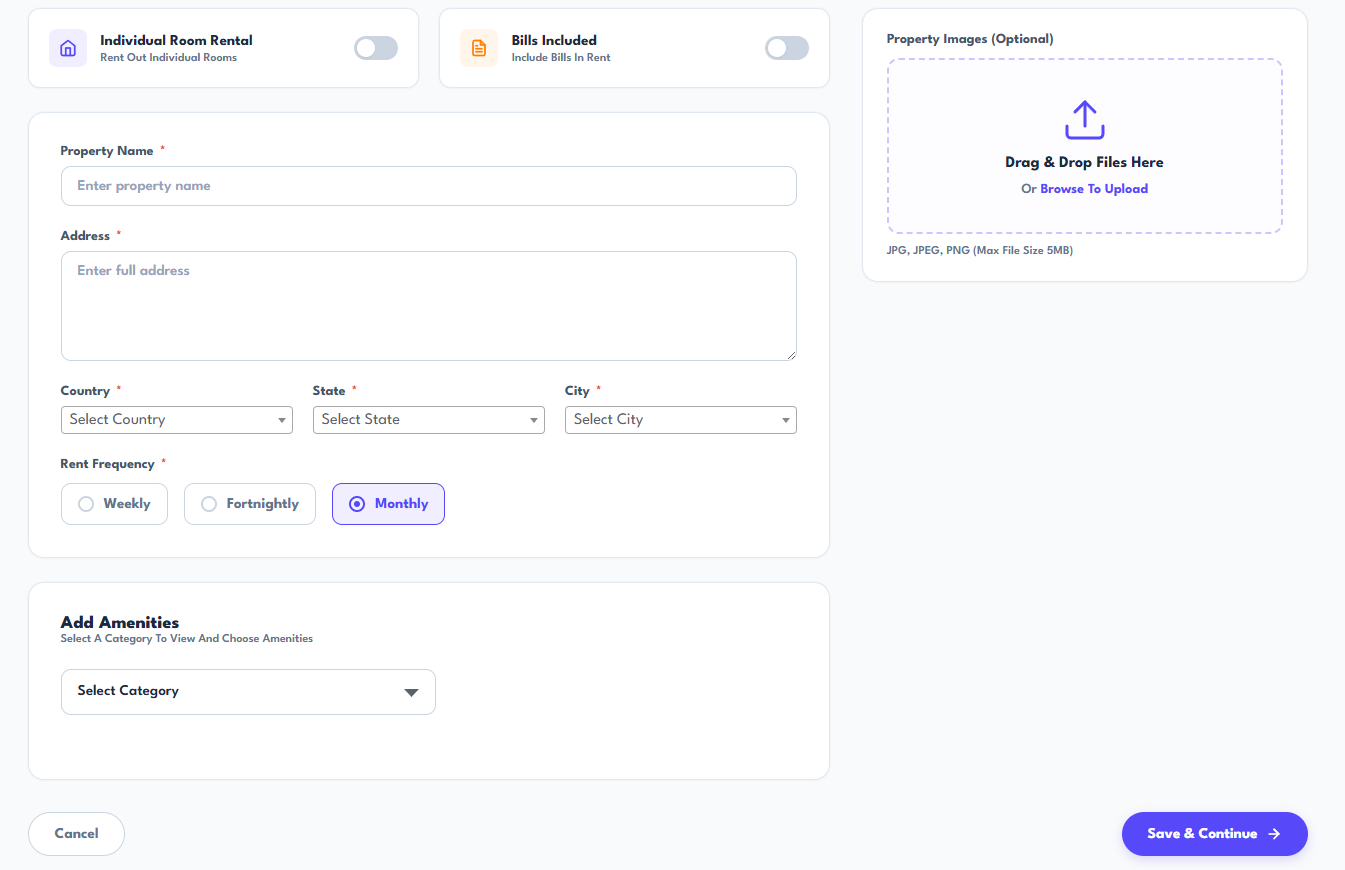
Enter the property name, address and location, choose the rent frequency and upload property images.
You can also select whether rooms will be rented individually, whether bills are included in rent and add property amenities.
Set Up Rooms & Pricing
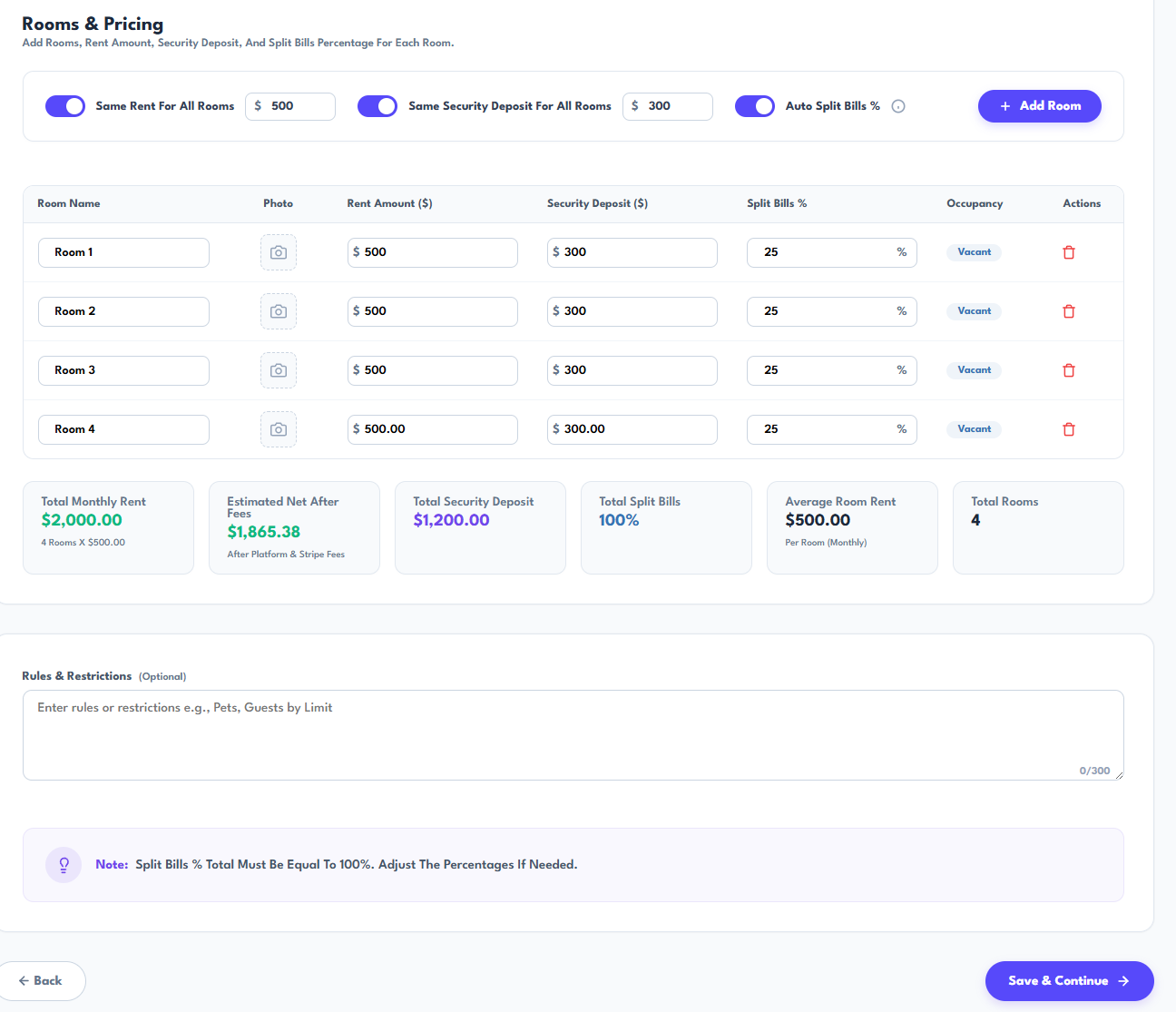
Add and name each room, upload room photos and set the rent and security deposit amounts.
Choose equal settings for every room or customise them individually, then automatically divide household bills or enter each room’s percentage.
Review & Publish Property
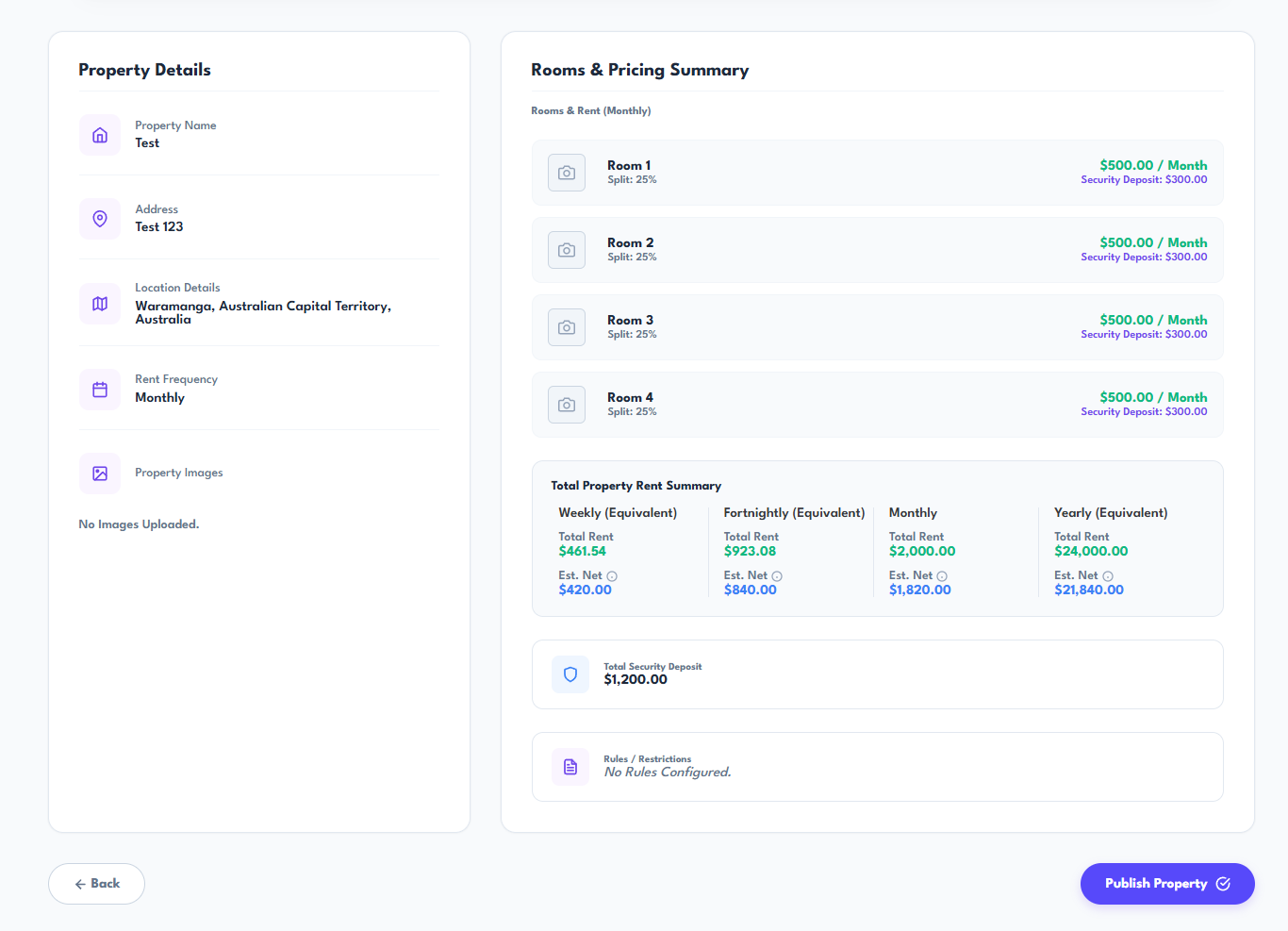
Review the property details, rooms, rent, security deposits, bill percentages and estimated income before publishing.
Check the complete setup in one place and make any required changes before the property becomes available for tenant invitations and management.