 sign up
GET STARTED WITH SETLI
Give Move-Out Notice for Shared Rentals | Setli
Let tenants submit move-out notice, record their intended move-out date and keep tenancy changes and rental records organised in Setli.

01
Open Move-Out Notice
Open Move-Out Notice
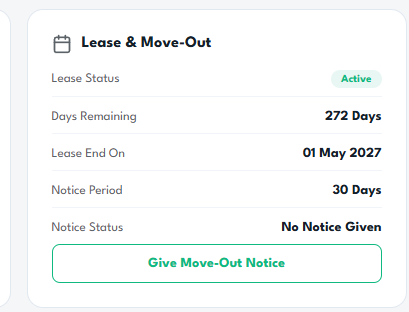
From the Lease & Move-Out section, review the lease end date, required notice period and current notice status.
Select Give Move-Out Notice to begin.
02
Submit the Notice
Submit the Notice
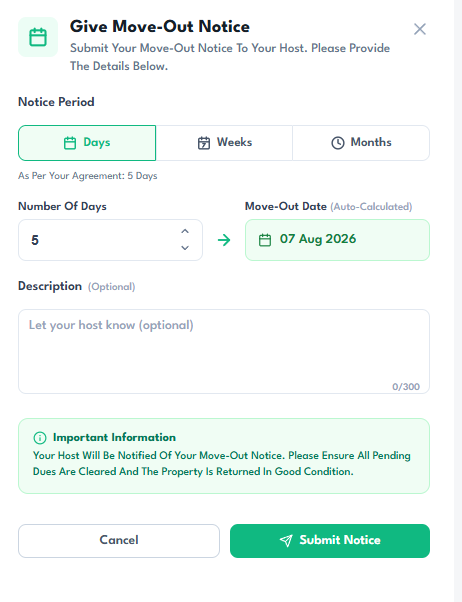
Choose whether the notice period is measured in days, weeks or months, then enter the required amount.
Setli automatically calculates the move-out date. Add an optional message for the host, review the important information and select Submit Notice.