 sign up
Quick Add Bills
Add common household bills in seconds, set amounts and due dates, then split costs across a property or specific room with Setli.

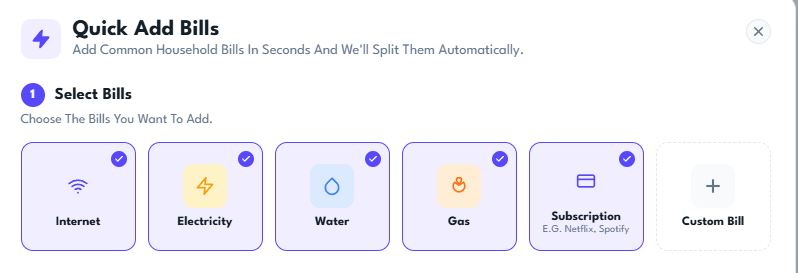
Select Your Bills
Choose the common household bills you want to add, including internet, electricity, water, gas and subscriptions.
You can also create a custom bill for any expense that is not already listed.
Enter Bill Details
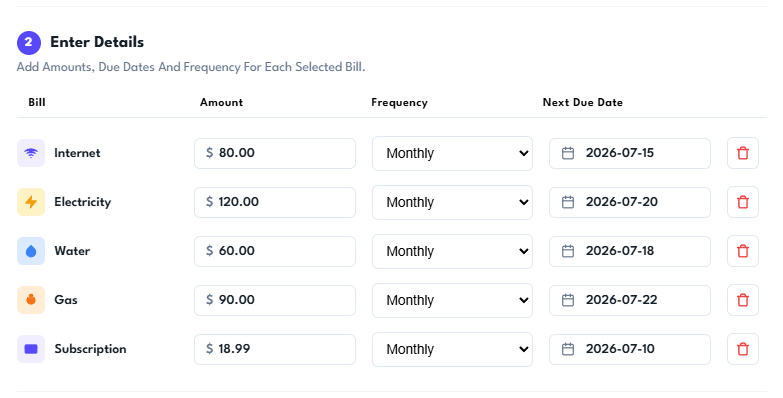
Enter the amount, payment frequency and next due date for each selected bill.
Setli creates each bill separately, making it easy to track recurring costs and upcoming payments.
Choose Where Bills Apply
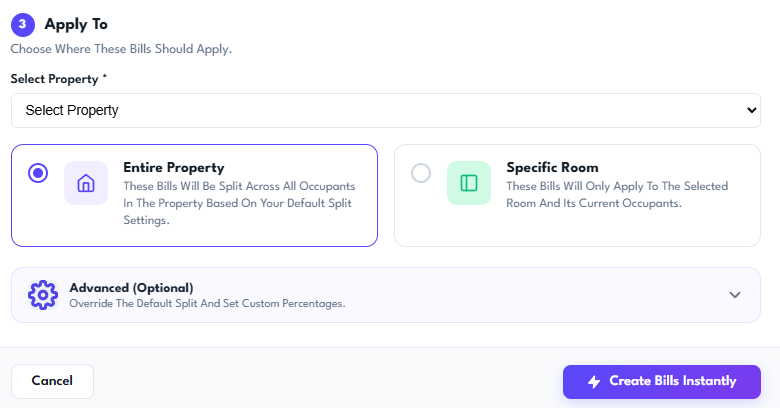
Select the property, then choose whether the bills apply across the entire household or only to a specific room.
Use the advanced settings to override the default split and set custom percentages before creating the bills instantly.