 sign up
Quick Add Property
Set up your property, rooms, rent, bills and payment details in minutes with Setli’s guided Quick Add Property setup.

Add Your Property & Rooms
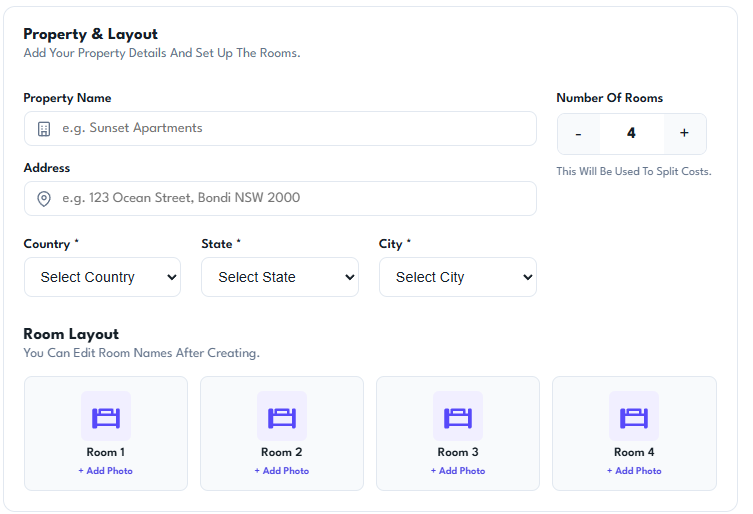
Enter your property details, address and location, then choose how many rooms you want to create.
Setli automatically builds the room layout for you, ready for room photos, rent settings and tenant assignments.
Set Rent & Split Bills
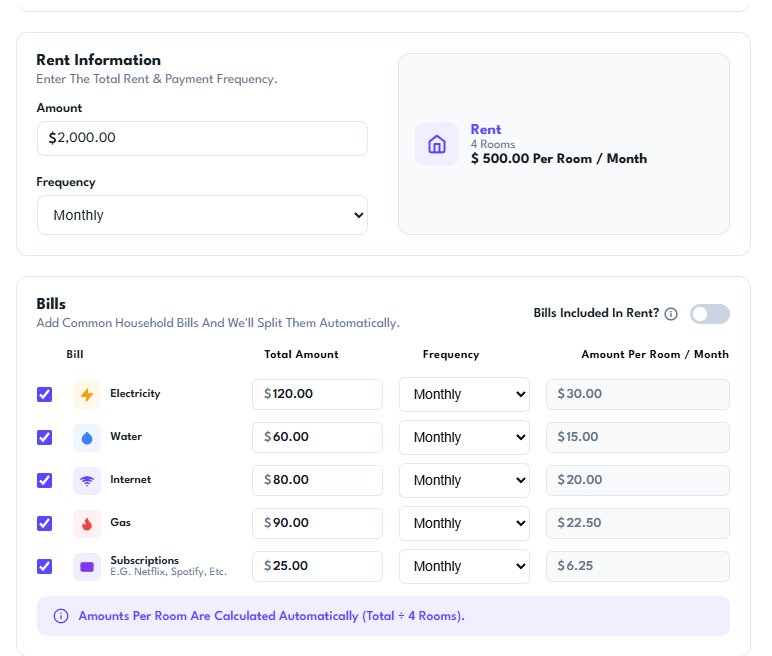
Enter the total rent and choose the payment frequency. Setli automatically calculates the rent amount for each room.
Add common household bills such as electricity, water, internet, gas and subscriptions, with the amount per room calculated automatically.
Choose Tasks & Review
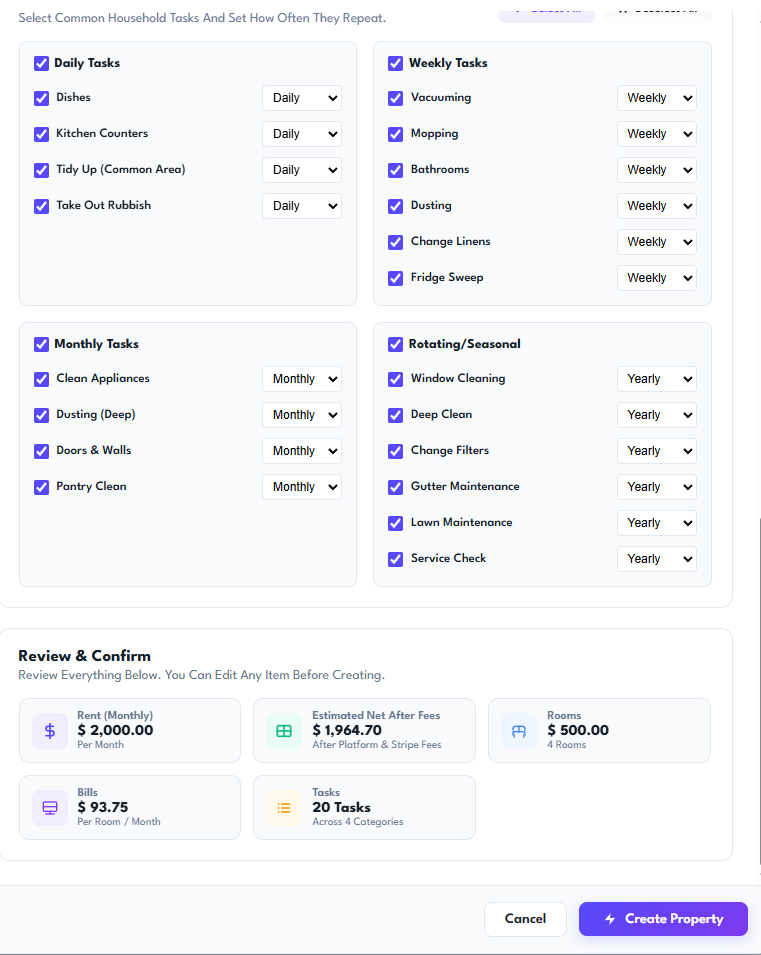
Select common household tasks and choose how often they should repeat, including daily, weekly, monthly or seasonal schedules.
Review the complete property setup, including rent, estimated net income, rooms, bills and tasks, before creating the property.