 sign up
Reports & Financials
Track rent income, expenses, net earnings, write-offs, occupancy and property performance with clear financial reports and records in Setli.

Choose Your Report
Select the property, report type and reporting period you want to review.
Choose a preset date range or set the required period, then generate the report for the selected property.

Review Income and Expenses
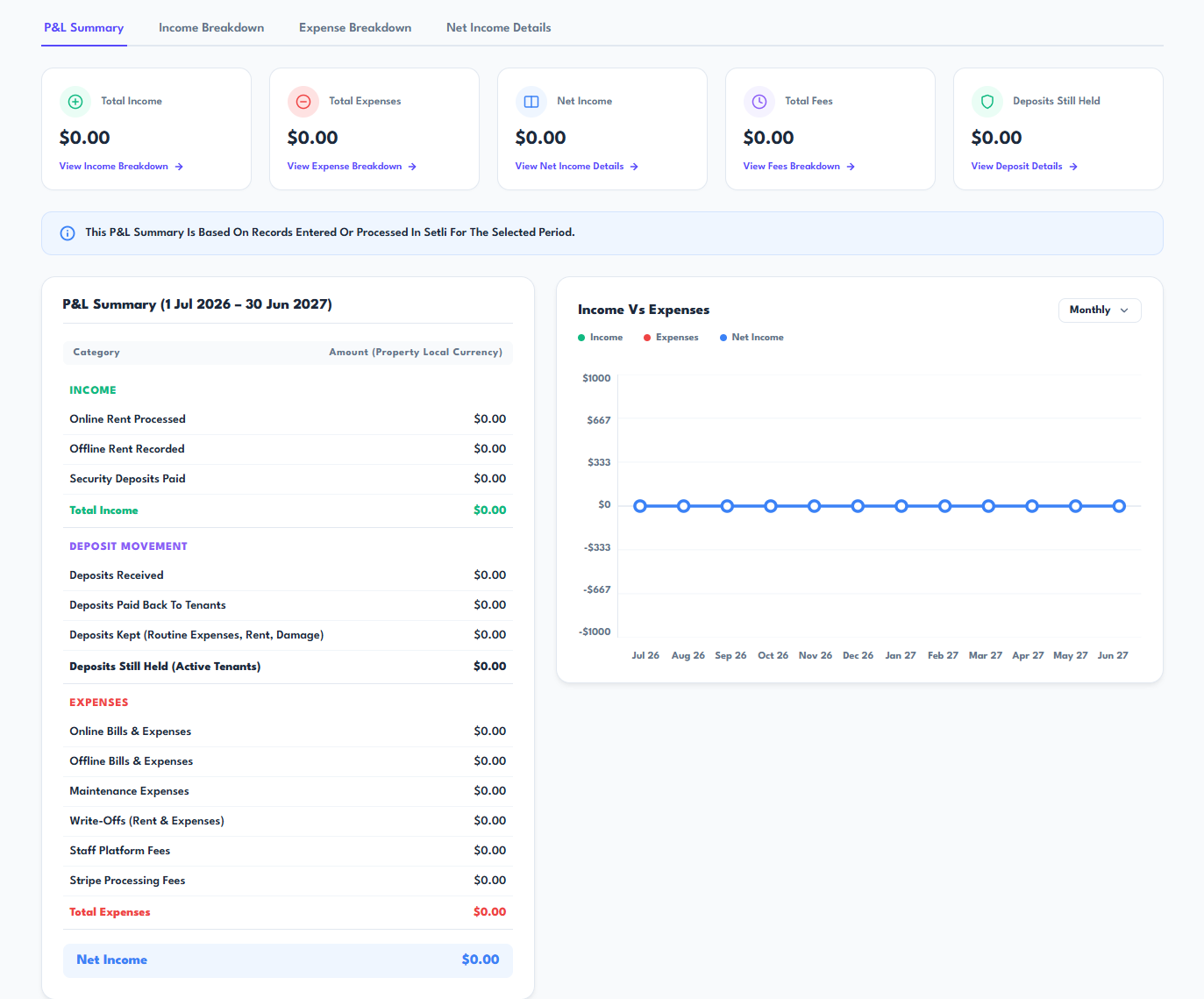
View a clear financial summary showing total income, expenses, net income, fees and security deposits still held.
Review the detailed profit and loss breakdown, including online and offline rent, expenses, maintenance costs, write-offs, platform fees and Stripe processing fees.
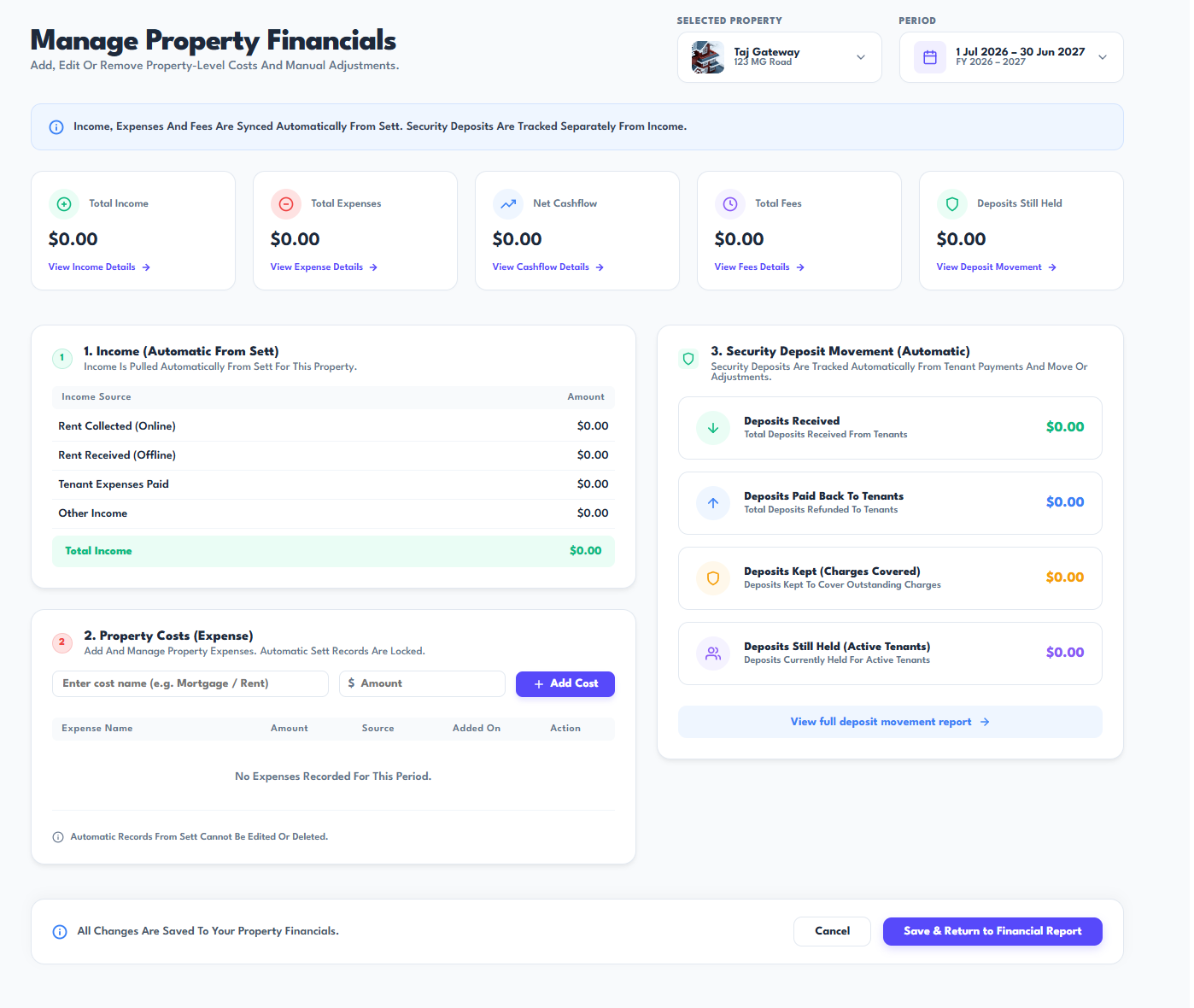
Manage Property Financials
Open the property financials section to review automatically synced income, expenses, fees and security deposit movements.
Add property-level costs or manual adjustments where needed, then save the updates and return to the financial report.