 sign up
GET STARTED WITH SETLI
Request Payment Extension
Request more time to pay upcoming or overdue rent and bills, propose a new payment date and send the request directly to your host through Setli.

01
Select the Payment
Select the Payment
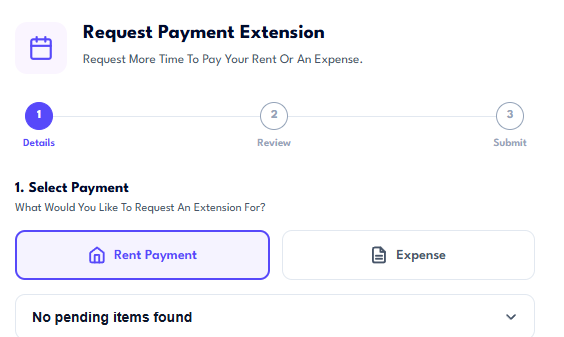
Choose whether you are requesting an extension for a rent payment or an expense.
Select the pending payment you need more time to pay before continuing.
02
Choose a New Due Date
Choose a New Due Date
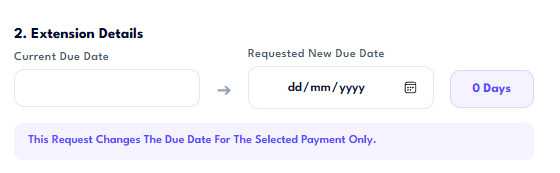
Review the current due date and select the new date you are requesting.
The extension applies only to the selected payment and does not change future rent or expense schedules.
03
Add a Reason and Review
Add a Reason and Review
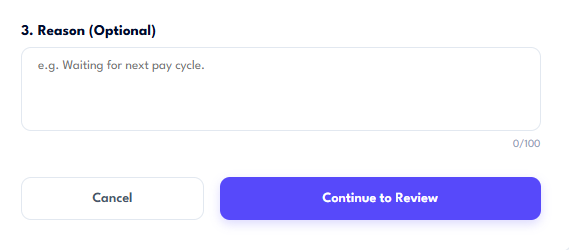
Add an optional reason for the request, such as waiting for your next pay cycle or another temporary circumstance.
Continue to review the payment details and requested date before submitting the extension request to your host.